
Figma is the default design tool for product teams, and for good reason. It runs in the browser, handles real-time collaboration better than anything else, and almost every designer you hire already knows it. The problem is the bill. The best figma alternatives exist because Figma now charges by seat type, and a small startup can watch its design budget climb as soon as a second designer, a developer and a reviewer join the same file.
This guide compares eight real figma alternatives by the numbers that matter: cost per editor, what the free tier actually lets you do, and which team each fits. Every price was checked on 19 November 2026.
In this guide
- What Figma costs now — and where the bill bites
- The 8 Figma alternatives at a glance
- The 8 Figma alternatives in detail
- Who should NOT switch from Figma
- How to pick the right Figma alternative
- The switching costs nobody puts in the comparison table
- Frequently asked questions
- The bottom line
What Figma costs now — and where the bill bites
Figma’s pricing changed in March 2025, and many roundups still quote the old numbers: the retired $15 per editor per month ($12 annual) no longer exists. Figma now sells seat types, priced by what each person does.
On Professional, a Full seat — the seat a designer needs to edit — costs $16 per month billed annually, or $20 monthly. A Dev seat costs $12 billed annually ($15 monthly), and a Collab seat $3 ($5 monthly). Viewers are free. The free Starter plan still exists, but it caps you at three Figma design files and three FigJam boards.
That structure is fairer than it looks: reviewers no longer need a paid seat. It still adds up: three designers on Full seats cost $48 a month, or $576 a year, before a single developer seat, and Organization jumps to $55 per Full seat per month billed annually. Figma also enforces monthly AI credit limits since March 2026. None of this makes Figma bad — it makes it worth pricing honestly against the figma alternatives below, especially for straightforward screens and landing pages rather than a sprawling design system.
The 8 Figma alternatives at a glance
The table prices one editor on the cheapest paid plan that removes the free tier’s main limit. Free tiers are shown by their real ceiling, not the word “free” alone. All prices are in USD and were checked on 19 November 2026. Read it as a shortlist, then use the detail below to choose between the figma alternatives that fit your job.
| Tool | Cheapest paid editor | Free tier | Best for |
|---|---|---|---|
| Penpot | $0 (Professional cloud) | Full product, up to 8 team members | Product teams that want Figma’s workflow for $0 |
| Sketch | $10/editor/month | None (30-day trial) | Mac-only teams that want a fast native app |
| Lunacy | $0 (core editor) | Full editor, 10 cloud documents | Solo designers on Windows or Linux |
| Affinity by Canva | $0 | Full app on Mac and Windows | Vector and illustration work without a subscription |
| Framer | $10/site/month (Basic, annual) | Design and publish on a Framer subdomain | Designers who also ship the landing page |
| Webflow | $14/site/month (Basic, annual) | 2 pages on a webflow.io subdomain | Design-led marketing sites with a CMS |
| Canva | $15/month (Pro) | Generous, template-led | Marketing graphics and social content |
| Spline | $12/seat/month (Hobby, annual) | Basic 3D scenes, watermarked exports | Interactive 3D for the web |
The 8 Figma alternatives in detail
1. Penpot — the closest free Figma replacement
Penpot is the most direct of all figma alternatives for product teams. It is an open-source, browser-based design and prototyping tool built on open web standards — SVG, CSS and HTML — so your files are never locked into a proprietary format. It covers the core Figma workflow: frames, components, libraries, prototyping and handoff.
The pricing is why Penpot leads this list. The cloud Professional plan costs $0 per user per month and is fully featured, with caps of 8 team members, 10 GB of storage and 7 days of version history. The first paid step, Unlimited, is $7 per editor per month, capped at $175 per month however large your team grows.
Pros: free core product; open-source and self-hostable; no file lock-in; $175 monthly cap.
Cons: smaller plugin ecosystem; fewer AI features.
Verdict: our top pick among these figma alternatives for most startups. Figma’s workflow at $0.
2. Sketch — the Mac-native veteran
Sketch defined modern interface design before Figma moved the work into the browser, and it remains a fast, focused native Mac app with real-time collaboration, shared libraries and version history.
Sketch costs $10 per editor per month on the Standard plan, or about $9 billed annually. A Mac-only licence costs around $120 per year, and Business costs $22 per editor per month. There is no free plan, only a 30-day trial.
The dealbreaker is the platform. Sketch is Mac-only for editing: Windows and Linux teammates can view files in the browser but cannot edit them. That rules it out for most mixed-OS startups.
Pros: fast native performance; mature plugins; simple flat pricing.
Cons: Mac-only editing; no free plan; shrinking hiring pool.
Verdict: one of the better figma alternatives if your whole team is on Macs and prefers a native app.
3. Lunacy — the free desktop editor for Windows and Linux
Lunacy, from Icons8, is the free desktop design app that Windows and Linux users have been waiting for. It runs natively on Windows, macOS and Linux, works offline, opens Sketch files, and includes built-in Icons8 assets.
The core editor is free for personal and commercial use, with no locked features. The free cloud plan allows up to 10 cloud documents and 30 days of version history. Paid cloud plans start at $4.99 per month, and Pro at $11.99 per user per month billed yearly adds high-resolution assets and AI tools.
Lunacy’s limits are clear: no plugin ecosystem, no animation or 3D support, and no .fig file support, so moving a Figma library across is not a one-click job.
Pros: core editor completely free; native apps on all three desktop systems; works offline.
Cons: no plugins; no .fig import; limited collaboration.
Verdict: among free figma alternatives, the best pick for a solo designer on Windows or Linux.
4. Affinity by Canva — the free vector studio
Affinity changed more in the last year than any other tool on this list. Canva acquired Serif and in late October 2025 relaunched Affinity as one free app combining Designer, Photo and Publisher as Vector, Pixel and Layout studios. The old one-time price of $69.99 for Affinity Designer 2 is gone.
New users in 2026 get the full app free on Mac and Windows, with a free Canva account needed to activate it. The iPad version is listed as coming soon.
That makes Affinity the strongest free option for vector illustration, logos, icons and print work. The catch: no real-time multiplayer editing, no shared component libraries, and no browser-based collaboration. Optional AI tools require a paid Canva plan.
Pros: full professional vector app for $0; fast native performance.
Cons: no real-time collaboration; requires a Canva account.
Verdict: the illustration pick among these figma alternatives. Pair it with Penpot for team work.
5. Framer — design it, then publish it
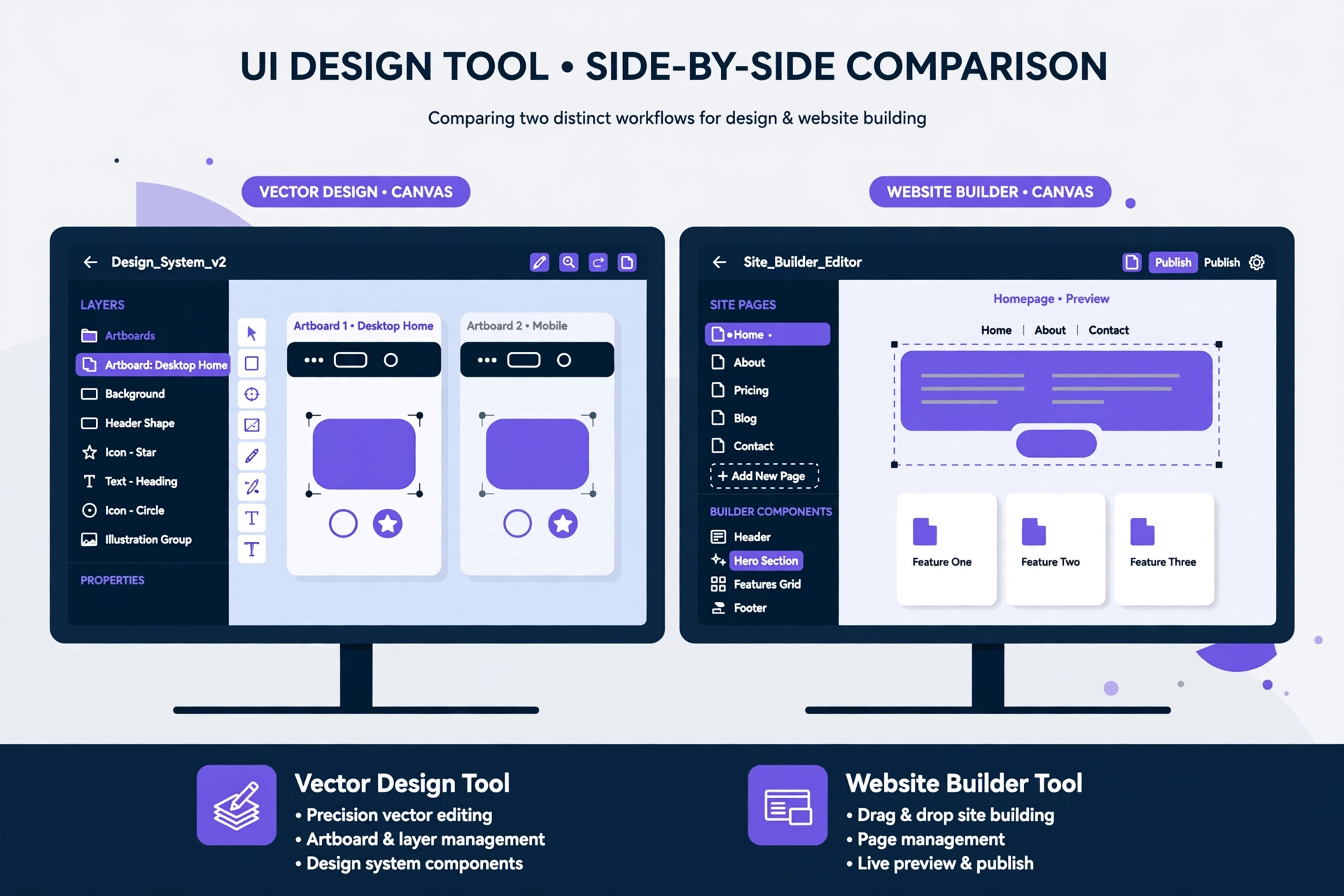
Framer is a design tool and website builder in one package. You design on a visual canvas and publish from the same tool, which makes it one of the most interesting figma alternatives for startups whose main output is a landing page or marketing site.
Framer charges per site, not per editor. The Free plan costs $0 and publishes to a Framer subdomain for non-commercial use. Basic costs $10 per site per month billed annually ($15 monthly) and adds a custom domain. Pro costs $30 ($45 monthly). The $5 Mini plan in older roundups no longer exists.
Framer’s weakness is scope. It is excellent for marketing sites, but not a general product-design tool with shared libraries and developer handoff for app interfaces.
Pros: design and publish in one tool; per-site pricing; strong templates and AI generation.
Cons: costs grow with every site; not a product UI tool; free plan keeps branding.
Verdict: the best of these figma alternatives for a startup whose design work is mostly a website.
6. Webflow — the design tool that ships production sites
Webflow is a visual website builder with a professional-grade Designer canvas, CMS and hosting built in. Like Framer, it is one of the figma alternatives that answers a different question: design and publish the real site in one place, instead of handing off to a developer.
The free Starter plan lets you learn the Designer and publish to a webflow.io subdomain, capped at 2 pages, 50 CMS items and 1 GB of bandwidth. Paid site plans start at Basic, $14 per month billed annually. Sites with a blog need the next tier, around $23 per month billed annually. Confirm current plan names before you pay; workspace plans are priced separately.
Webflow is a poor fit for mobile app screens or product UI, because it is a website tool first and last. It also has a steeper learning curve, and costs stack up across several sites.
Pros: real production websites; hosting, SSL and CDN included; powerful CMS.
Cons: website-only; learning curve; per-site pricing.
Verdict: among these figma alternatives, the strong pick for marketing sites — and a weak one for app interfaces.
7. Canva — the template-led shortcut
Canva is not a Figma replacement for product design, and it does not pretend to be. It is a template-led platform for marketing graphics, social posts, presentations and brand kits — the fastest way for a startup without a designer to look professional. That earns it a place among figma alternatives for non-designers.
Canva’s free plan is generous for basic graphics. Canva Pro costs $15 per month per person, or $120 per year, and adds the brand kit, background remover, premium templates and stock content. Teams plans start from $10 per person per month. See our Canva alternatives guide: https://badilhost.com/canva-alternatives/
Canva’s limits are obvious: no component system, no auto-layout, no developer handoff. It is a content tool, not a product tool. But for social graphics, pitch decks and ads, Pro at $15 a month is a fair price.
Pros: fastest path to a finished graphic; huge template library; usable free plan.
Cons: no product-design features; no developer handoff; per-person pricing.
Verdict: the right pick among these figma alternatives for marketing content, not product interfaces.
8. Spline — interactive 3D for the web
Spline is the odd one out, deliberately so. It is a browser-based 3D design tool for interactive web scenes, not a general interface tool. It belongs among figma alternatives because startups increasingly want a 3D hero section or interactive product viewer, and Spline is the cheapest way to build one.
Spline’s free plan builds basic 3D scenes with unlimited viewers, but exports carry a Spline watermark and file counts are limited. Hobby costs $12 per seat per month billed annually ($15 monthly) and removes the watermark. Pro costs $25 ($30 monthly). The $9 Super plan in older roundups no longer appears on Spline’s pricing page.
Spline will not replace Figma for screens, flows or design systems. It does one job — interactive 3D for the web — in the browser with real-time collaboration. Use it alongside Penpot, not instead of one.
Pros: real interactive 3D in the browser; gentle learning curve; free plan.
Cons: 3D only; watermarked exports on the free plan.
Verdict: the best cheap pick among these figma alternatives for interactive 3D — a complement to Penpot.
Who should NOT switch from Figma

Honesty matters more than a clean recommendation, so here is where the figma alternatives above fall short. Do not switch if your team runs a large design system: none of the figma alternatives here matches Figma’s library and branching depth. Do not switch if developers depend on Figma’s Dev Mode: handoff in Penpot and Lunacy is thinner.
Do not switch if hiring is your bottleneck. Figma is the skill almost every product designer lists first, and a startup that hires on Penpot or Sketch narrows its candidate pool. Do not switch for one project: migration takes days, and savings only pay off over months.
One more warning: do not “switch” to Adobe XD. Adobe put XD in maintenance mode in 2023, after its planned Figma acquisition collapsed: no new features, only bug and security fixes, and no standalone sales to new customers. Starting fresh in XD in 2026 is starting in a dead end.
How to pick the right Figma alternative
When comparing figma alternatives, start from the job, not the price. For product interfaces with a team, Penpot is the default: the only free tool covering the whole Figma workflow. Alone on Windows or Linux, Lunacy costs nothing. Entirely on Macs, Sketch at $10 per editor per month is a fair deal.
For websites, Framer fits landing pages at $10 per site per month, while Webflow fits content-heavy sites with a blog or CMS from $14. For marketing graphics, Canva is the tool, and our guide to free Photoshop alternatives in the browser (https://badilhost.com/free-photoshop-alternatives-browser/) covers image editing too.
Budget the whole stack: Penpot for product design, Affinity for illustration and Canva’s free plan for social graphics costs $0 a month and covers most of what a pre-seed startup designs. For a wider view of what free tiers can actually carry, see our guide to SaaS free tiers worth building on (https://badilhost.com/saas-free-tiers-for-startups/) and our roundup of open source alternatives to SaaS (https://badilhost.com/open-source-alternatives-to-saas/).
The switching costs nobody puts in the comparison table
Switching design tools is never just a price comparison. Your Figma files do not move cleanly between figma alternatives. Penpot imports .fig files with reasonable fidelity, but components, auto-layout and prototypes usually need rebuilding by hand. Sketch opens Figma files through import, and Lunacy does not open .fig files at all, so plan on rebuilding your core screens rather than converting them.
Budget a week for a small library, not a weekend: rebuild your most-used components first, freeze new Figma work during the move, and keep one Figma seat for a month as a reference. The licence saving is real — a five-person team moving from Figma Professional to Penpot’s free plan saves around $960 a year — but only if the migration actually finishes. Half-moved teams pay for both tools and get the benefits of neither.
Frequently asked questions
What is the best free Figma alternative?
Penpot is the best of the free figma alternatives for product teams, because its cloud Professional plan is free and fully featured, with real-time collaboration, components and developer handoff. For solo designers, Lunacy’s core editor is also free, as is Affinity by Canva. The right pick depends on whether you work in a team or alone.
Is there a completely free alternative to Figma?
Yes. Penpot’s Professional plan costs $0 with no feature limits, and self-hosting is free under an open-source licence. Lunacy’s core editor is free, and Affinity by Canva is free on Mac and Windows — both strong figma alternatives for solo work. Figma’s own Starter plan is also free, but it caps you at three design files, which pushes most teams to pay.
Can Penpot really replace Figma?
For most startups, yes. Among the figma alternatives in this guide, Penpot is the closest to a full replacement: interface design, components, prototyping and developer handoff in the browser, on a free plan with no feature limits. It falls short on plugin depth, AI features and Figma’s hiring advantage, so large teams should trial it on a real project first.
Is Adobe XD still a Figma alternative?
No, not for new work. Adobe XD is in maintenance mode since 2023, receives no new features, and is no longer sold standalone to new customers. Existing Creative Cloud customers can still open it, but anyone starting fresh should pick an actively developed tool in this guide instead.
How much does Figma cost per month in 2026?
A Full seat on Figma’s Professional plan costs $16 per month billed annually, or $20 monthly. Dev seats cost $12 per month billed annually, and Collab seats $3. Viewers are free, and the Starter plan is free with a three-file limit. Check Figma’s pricing page (https://www.figma.com/pricing/) before you buy: Figma changed its seat model in 2025.
The bottom line
The best figma alternatives are not copies of Figma: Penpot trades ecosystem depth for a $0 price, Sketch trades cross-platform reach for native speed, and Framer and Webflow trade general product design for shipping a real website. For most startups, Penpot is the right first move. Try the figma alternatives above on one real project, measure the migration honestly, and only then cancel Figma. The saving is real, but only if the switch sticks.
Prices in this guide are US list prices checked on 19 November 2026. Vendors change plans often, so confirm the current price on the official pricing page before you pay. For Penpot’s current plans, see Penpot’s pricing page (https://penpot.app/pricing).