

In this guide
- Why Online Courses Need Different Hosting
- What to Look for in the Best Hosting for Online Courses
- The Best Hosting for Online Courses at a Glance
- Intro vs Renewal Prices Compared
- The 3-Year Cost of Running a Course Site
- SiteGround: Best Overall for LearnDash and LifterLMS
- Hostinger: Best Budget Pick for New Course Creators
- Bluehost: Best for Beginners Launching a First Course
- WP Engine: Best Premium Managed WordPress Hosting
- Kinsta: Best Performance for Growing Course Schools
- Cloudways: Best Flexible Cloud Option
- Nexcess: Best for WooCommerce-Powered Courses
- Video Hosting: Should You Host Videos on Your Server?
- Our Verdict
- Frequently Asked Questions
Selling a course is not the same as running a blog: a blog serves small cached pages, while a course site serves logged-in students, video lessons, quizzes, and checkout pages — often all at once, right after you email your list. That is why the best hosting for online courses is a different buying decision from the best hosting for a brochure site.
The wrong host shows up at the worst moments: a checkout page that crawls during a launch, or a learning management system (LMS) plugin that breaks after an update because there was no staging site to test it on — and surviving those moments is the first test of the best hosting for online courses. This guide compares seven hosts on what matters for course creators, with every price verified on 21 November 2026.
Why Online Courses Need Different Hosting
A course site is a small web application: every student has an account, a progress record, quiz attempts, and certificates. WordPress LMS plugins such as LearnDash, LifterLMS, Tutor LMS, and LearnPress store all of that in your database, and every page a student opens runs database queries a cached page never needs — the workload the best hosting for online courses must handle.
A blog survives on the cheapest shared plan because most visitors see cached pages, but a course site with 50 students logged in at once needs enough PHP workers, memory, and database speed to serve 50 dynamic requests together. Video widens the gap: one hour of 720p video is roughly 500 MB to 1 GB, so a 40-lesson course needs 20 to 40 GB before backups. And courses sell in bursts: an email goes out and hundreds of students arrive at once. Picking the best hosting for online courses means picking a host that survives your best day, not your average one.
What to Look for in the Best Hosting for Online Courses
Six factors decide what counts as the best hosting for online courses.
Video hosting and bandwidth
Never upload course videos to your WordPress media library: self-hosted video eats storage, has no adaptive streaming, and one popular lesson can exhaust bandwidth. Host videos on Vimeo, Bunny Stream, or unlisted YouTube and embed them; your host still serves the lesson pages, so look for an included CDN.
LMS plugin compatibility
LearnDash, LifterLMS, Tutor LMS, and LearnPress all run on WordPress. The difference is how well the host handles them: LearnDash and LifterLMS add many database tables, run scheduled tasks, and clash with caching that serves logged-in students a stale page. Check that the host can exclude logged-in users from caching, supports PHP 8.1+, and offers staging.
Storage for lessons and downloads
Count storage honestly: add up downloads, WordPress, themes, plugins, and the database — then double it, because backups need room for a full copy. A course with videos hosted externally fits in 10 to 20 GB; storing videos on the server needs 50 GB minimum.
Concurrent learners and visit limits
Hosts measure capacity in visits, PHP workers, CPU seconds, or bandwidth. What matters is how many students can be active at once. A host allowing 25,000 visits a month sounds generous until a cohort of 200 students each opens 20 lesson pages a day — 120,000 page views a month from the cohort alone.
Staging, backups, and updates
A course site is a revenue site, so it needs a safety net. Staging lets you test a LearnDash or WordPress update on a copy before it touches your students, and daily backups with one-click restore turn a broken update into a five-minute fix — staging and backups are non-negotiable in the best hosting for online courses. Confirm they are on the plan you buy.
Support that understands WordPress
When a quiz stops recording scores the night before a cohort starts, you need support that knows WordPress. Managed hosts offer the strongest WordPress-specific support, with 24/7 chat. Budget hosts offer 24/7 support too, but quality varies.
The Best Hosting for Online Courses at a Glance
Each host below is judged as a home for a WordPress course site and a contender for the best hosting for online courses. Prices are in USD, excluding tax, verified 21 November 2026.
| Host | Best for | Starting price | Renewal from | Storage from | Staging |
|---|---|---|---|---|---|
| SiteGround | LearnDash and LifterLMS schools | $2.99/mo | $17.99/mo | 10 GB | GrowBig and up |
| Hostinger | New creators on a budget | $1.99/mo | $10.99/mo | 20 GB | Business and up |
| Bluehost | First-time course creators | $2.95/mo | $10.99/mo | 10 GB | Choice Plus and up |
| WP Engine | Premium managed WordPress | $25/mo | $35/mo | 10 GB | All plans |
| Kinsta | Fast-growing schools | $35/mo | $35/mo | 10 GB | All plans |
| Cloudways | Flexible scaling, no visit caps | $11/mo | $11/mo | 25 GB | All plans |
| Nexcess | WooCommerce-powered courses | $19/mo | $21/mo | 15 GB | All plans |
Intro prices need the longest term prepaid; renewals are the regular rates.
Intro vs Renewal Prices Compared
The headline price is never the real price. Every budget host sells the first term at a deep discount and renews at three to six times that rate, so any honest ranking of the best hosting for online courses must show both numbers.
| Host | Recommended plan | Intro price | Renewal price | Term for intro |
|---|---|---|---|---|
| SiteGround | GrowBig | $4.99/mo | $29.99/mo | 12 months |
| Hostinger | Business (Unlimited) | $2.79/mo | $16.99/mo | 48 months |
| Bluehost | Choice Plus | $5.45/mo | $19.99/mo | 12 months |
| WP Engine | Startup | $25/mo | $35/mo | First year, annual billing |
| Kinsta | Starter | $35/mo | $35/mo | No intro discount |
| Cloudways | DigitalOcean Premium 2 GB | $28/mo | $28/mo | Pay as you go |
| Nexcess | Spark | $13.23/mo* | $21/mo | First 4 months |
* Nexcess Spark’s list price is $19/mo on monthly billing; promotional pricing cuts the first four months to about $13.23/mo, after which the plan renews at $21/mo. Nexcess also lists Maker at $59/mo and Designer at $99/mo.
Two patterns stand out: the managed hosts barely move between intro and renewal, while the budget hosts look cheapest on day one and surprise you in year two — GrowBig jumps from $59.88 for the first year to $359.88 a year at renewal.
The 3-Year Cost of Running a Course Site
A course is a multi-year business, so compare the best hosting for online courses over three years at the recommended plan. The table below adds the first term at its intro price to two years at the renewal rate.
| Host (plan) | Year 1 | Years 2–3 (at renewal) | 3-year total |
|---|---|---|---|
| Hostinger Business | $59.88 | $407.76 | $467.64 |
| Bluehost Choice Plus | $65.40 | $479.76 | $545.16 |
| Nexcess Spark | $228.00 | $504.00 | $732.00 |
| SiteGround GrowBig | $59.88 | $719.76 | $779.64 |
| Cloudways DO Premium 2 GB | $336.00 | $672.00 | $1,008.00 |
| WP Engine Startup | $300.00 | $840.00 | $1,140.00 |
| Kinsta Starter | $420.00 | $840.00 | $1,260.00 |
Notes: Hostinger Business year one assumes the 12-month intro rate of $4.99/mo; the 48-month Black Friday rate costs $133.92 up front and covers four years. Nexcess Spark year one uses the $19/mo list price. Kinsta Starter on annual billing costs $30/mo, so its three-year total is $1,080.
SiteGround: Best Overall for LearnDash and LifterLMS
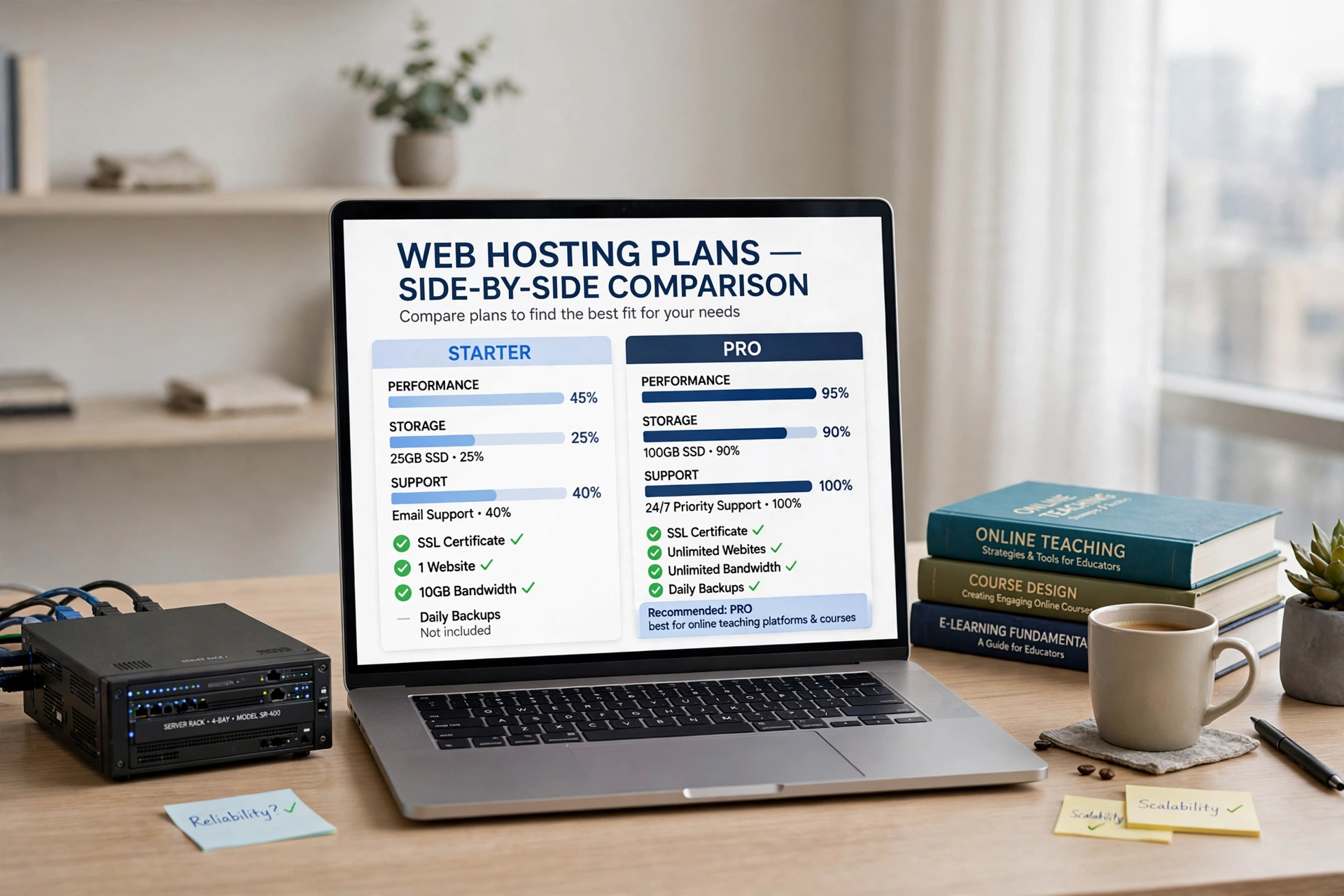
SiteGround is our top pick for most course creators, and the best hosting for online courses on a shared plan. GrowBig is the sweet spot: $4.99/mo for the first 12 months ($59.88 up front), renewing at $29.99/mo ($359.88 a year). StartUp ($2.99/mo intro, $17.99/mo renewal) lacks staging and on-demand backups. GoGeek is $7.99/mo intro, $44.99/mo renewal.
GrowBig includes unlimited websites, 50 GB of storage, about 100,000 suggested monthly visits, free daily backups, a free CDN, and staging. See the current plans on the official SiteGround WordPress hosting page. The renewal jump is the weakness: budget $359.88 a year from year two.
Hostinger: Best Budget Pick for New Course Creators
Hostinger is the cheapest way to start a course site. Its Black Friday pricing has Premium at $1.99/mo on a 48-month term ($95.52 up front), renewing at $10.99/mo, while Business — now shown as “Unlimited” — is $2.79/mo on the same term ($133.92 up front) and renews at $16.99/mo. Cloud Startup is $7.99/mo and renews at $25.99/mo. For the best hosting for online courses on a tight budget, buy Business, not Premium: Premium allows only 3 websites and 20 GB with weekly backups and no staging, while Business gives unlimited websites, 50 GB NVMe, daily backups, and staging.
NVMe storage and LiteSpeed caching keep lesson pages fast, with a free CDN. Trade-offs: chat-only support and the 48-month prepay. If your course is new and unproven, Hostinger Business is the smartest low-risk start — the best hosting for online courses when every dollar counts. Our how to speed up WordPress guide helps if lesson pages feel slow.
Bluehost: Best for Beginners Launching a First Course
Bluehost is the host most beginners meet first. Its shared plans start at $2.95/mo for Basic on a 12-month term, renewing at $10.99/mo. The plan to buy is Choice Plus at $5.45/mo intro, renewing at $19.99/mo, with 40 GB of SSD storage, unlimited websites, domain privacy, and CodeGuard backups. Pro is $13.95/mo intro and renews at $28.99/mo (100 GB).
Choice Plus is the first Bluehost tier with what a course site needs: staging, daily backups, and enough storage for a small library. Basic gives one website, 10 GB, and no staging — too thin for a school you plan to grow. Where Bluehost falls behind is performance under load: a launch spike can strain a shared plan. Buy it for the simplest possible start with one small course — for many beginners, that simplicity is what makes it the best hosting for online courses to start with. See our best hosting for bloggers guide.
WP Engine: Best Premium Managed WordPress Hosting
WP Engine is a fully managed WordPress host, and it shows in its staging tools and support — the polish that puts it among the best hosting for online courses for serious schools. Startup costs $25/mo for the first year on annual billing ($300 for the year), renewing at $35/mo ($420 a year). Professional is $50/mo in year one and renews at $65/mo, Growth is $96/mo and renews at $130/mo, and Scale is $242/mo and renews at $330/mo.
Startup covers one site, 25,000 visits, 10 GB of storage, and 75 GB of bandwidth. That visit limit is the number to watch: a course with a few hundred active students can pass 25,000 visits in a month, and overages cost $2 per 1,000 visits. Growth (100,000 visits, 20 GB) is the realistic tier for a paying school. Every plan includes staging, daily backups, a global CDN, free SSL, and automatic updates, and its EverCache system handles logged-in users correctly. Judged on support alone, WP Engine is the best hosting for online courses in this guide.
Kinsta: Best Performance for Growing Course Schools
Kinsta is a premium managed WordPress host built on Google Cloud, and the fastest host here for a course site with real traffic. Starter costs $35/mo on monthly billing, or $30/mo ($300 a year) on annual billing, for one site, 25,000 monthly visits, and 10 GB of storage. Pro is $70/mo (2 sites, 50,000 visits), Business 1 is $115/mo (5 sites, 100,000 visits), and Business 2 is $225/mo (10 sites, 250,000 visits). There is no intro discount.
Kinsta’s edge is infrastructure: every site runs in an isolated container on Google Cloud’s fastest machines, with a global CDN, edge caching, and PHP workers for many logged-in students at once. Staging, daily backups, and 24/7 chat support are included. The limits to respect are storage and visits: 10 GB on Starter fills quickly if you store videos on the server, so pair Kinsta with external video hosting. Check its current plans on the official Kinsta WordPress hosting pricing page.
Cloudways: Best Flexible Cloud Option
Cloudways manages cloud servers from DigitalOcean, Vultr, Linode, AWS, and Google Cloud. You pick a server size, Cloudways provisions and manages it, and you can host unlimited WordPress sites on it — flexible scaling that belongs in any shortlist of the best hosting for online courses. Prices start at $11/mo for a 1 GB DigitalOcean Standard server (25 GB, 1 TB bandwidth). The DigitalOcean Premium range costs $14/mo for 1 GB, $28/mo for 2 GB (50 GB NVMe), $54/mo for 4 GB, and $99/mo for 8 GB.
There is no renewal jump: Cloudways bills pay as you go, hourly, so $28/mo this month is $28/mo next year too, with no visit caps — your bill rises only when you scale the server up before a launch. For a course with spiky launch traffic, that makes Cloudways the best hosting for online courses on value and flexibility. The trade-off is a technical dashboard and no included email hosting. The 2 GB plan at $28/mo is the sensible start. Our best VPS hosting guide covers alternatives.
Nexcess: Best for WooCommerce-Powered Courses
Nexcess, now part of Liquid Web, is a managed WordPress and WooCommerce specialist — a natural fit for courses sold through WooCommerce with LearnDash or LifterLMS. Spark costs $19/mo on monthly billing for one site, 15 GB of storage, and 2 TB of bandwidth. A promotion cuts the first four months to about $13.23/mo, then $21/mo. Maker is $59/mo (3 sites, 25 GB) and Designer is $99/mo (5 sites, 50 GB).
Every plan includes staging, daily backups kept for 30 days, a free CDN and SSL, automatic scaling, and Object Cache Pro and iThemes Security Pro bundled free. Automatic scaling is the standout: if a launch sends a traffic spike, Nexcess adds capacity automatically instead of showing an error page. Support is 24/7 and knows WooCommerce well. Choose Nexcess if you sell courses through WooCommerce and want the best hosting for online courses with a shop attached. Our best ecommerce hosting guide compares the wider options.
Video Hosting: Should You Host Videos on Your Server?
Short answer: no. Your hosting plan should serve your course website — lesson pages, quizzes, and checkout — while videos belong on a platform built for video: Vimeo, Bunny Stream, or unlisted YouTube. That split is where choosing the best hosting for online courses starts.
Vimeo’s plans are built for course creators: privacy controls, a clean player with no ads, and adaptive streaming. Bunny Stream is cheaper per gigabyte and popular with large libraries. Unlisted YouTube costs nothing, but it shows YouTube branding and related videos. A 40-lesson course at 720p needs roughly 20 to 40 GB of video files, so keeping videos off your server is what keeps the best hosting for online courses affordable.

Our Verdict
Our verdict: The best hosting for online courses for most creators is SiteGround GrowBig at $4.99/mo for the first year, renewing at $29.99/mo: it has staging, daily backups, 50 GB of storage, and support that understands LearnDash and LifterLMS. New creators on a tight budget should start with Hostinger Business at $2.79/mo on a 48-month term, renewing at $16.99/mo — buy Business, not Premium, so you get staging and daily backups. Schools that earn money should move to Kinsta Starter at $35/mo. If traffic spikes around launches, Cloudways at $28/mo for a 2 GB server is the fairest deal here: no visit caps, no renewal jump, and easy scaling. Whichever host you pick, host videos externally, test updates on staging, and budget for the renewal price.
Frequently Asked Questions
What is the best hosting for online courses on WordPress?
The best hosting for online courses depends on your stage. SiteGround GrowBig ($4.99/mo intro, $29.99/mo renewal) is the best all-round pick for LearnDash and LifterLMS schools. Hostinger Business is the best budget start at $2.79/mo. Kinsta Starter at $35/mo is the best premium pick.
Can I use shared hosting for an online course?
Yes, for a small course with a modest audience. Shared hosting works when your videos live on Vimeo or another video platform and your student numbers are low — the best hosting for online courses on shared plans always includes staging and daily backups, so pick SiteGround GrowBig, Hostinger Business, or Bluehost Choice Plus. Move to managed hosting past a few hundred students.
Which LMS plugin works best with these hosts?
LearnDash, LifterLMS, Tutor LMS, and LearnPress all run on every host here, since all seven run PHP 8.1 or newer. LearnDash is the most feature-rich and the most demanding, so the best hosting for online courses for LearnDash offers staging and enough PHP workers — SiteGround GrowBig, Kinsta, or WP Engine. LifterLMS and Tutor LMS have free versions for Hostinger Business or Bluehost Choice Plus.
How much storage do I need for an online course?
If your videos live on Vimeo, Bunny Stream, or YouTube, a course site needs only 10 to 20 GB. If you store videos on your server, budget 50 GB at minimum for one course and 100 GB for a small school — plus room for backups. The storage limit is part of what makes the best hosting for online courses, so check it on the plan you buy.
Do I need a CDN for my course site?
Yes, if any students are in another country. A CDN copies your lesson pages and files to servers near each student, so pages load fast everywhere. All seven hosts in this guide include a CDN or a free CDN add-on — one more reason the best hosting for online courses bundles a CDN.
How much does hosting for an online course cost per year?
A new course site costs $24 to $65 for the first year at intro prices — Hostinger Business is $33.48 a year at its Black Friday 48-month rate, and SiteGround GrowBig is $59.88 for 12 months. From year two, budget $132 to $360 a year on shared hosting, or $420 to $1,380 on managed hosting. That is what the best hosting for online courses really costs once the intro discount ends.