

Choosing the best hosting for AI startups is a different decision from choosing hosting for a blog or a brochure site. An AI startup does not only need pages that load fast. It needs compute that can train a model, serve predictions without long delays, store large datasets safely, and scale up without a surprise bill that eats the runway. That is why the usual advice fails here: shared hosting cannot run a GPU workload, and a small virtual server can host your landing page but will not fine-tune a language model.
This guide compares the best hosting for AI startups across the three layers a young AI company actually buys: GPU cloud, high-CPU virtual servers, and managed cloud. Every price was verified in November 2026.
In this guide
- The short answer
- What AI startups actually need from hosting
- Best hosting for AI startups at a glance
- The best hosting for AI startups in detail
- GPU hosting explained: training vs inference
- How to choose by stage: prototype, MVP, scale
- How to control GPU and cloud costs
- Data privacy, security and compliance
- Common mistakes AI startups make with hosting
- Frequently asked questions
- Verdict
The short answer
Most AI startups should split the job in two, using GPU cloud for the model and a separate virtual or managed cloud server for the website, API and product. That split is the core of the best hosting for AI startups: GPU machines are expensive per hour and should run only when they earn their keep, while your website and API should be cheap, always on, and boringly reliable.
For GPU work, the best hosting for AI startups starts with Vultr, which offers the widest affordable range, with an NVIDIA A16 from $0.471 per hour and an L40S from $1.671 per hour. DigitalOcean is the simpler GPU option, with an L40S at $1.57 per hour and an H100 at $4.41 per hour on demand. For the application layer, Hostinger VPS starts from $6.49 per month and Cloudways managed cloud starts from $11 per month. Hetzner is the cheapest raw compute in Europe, from €5.49 per month excluding VAT, while SiteGround Cloud is the managed, no-sysadmin option at $100 per month.
What AI startups actually need from hosting
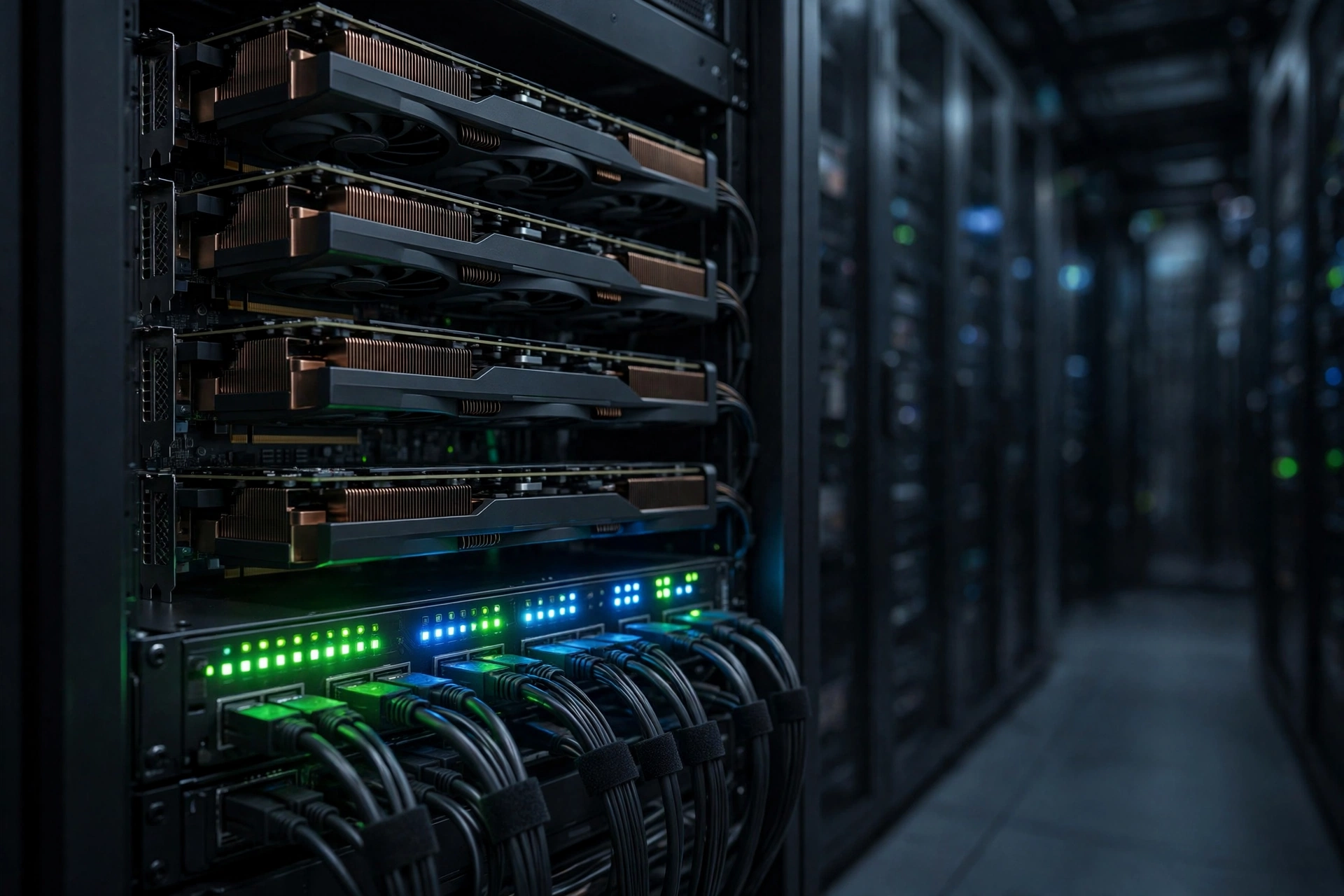
Start with the GPU itself. Small models and embeddings run well on an L40S or an RTX 4000 Ada. Fine-tuning a 7-billion-parameter model needs at least 24 GB of GPU memory, and often 48 GB or more. Full training of a large model is an 8-GPU job, where hourly prices of $20 to $35 per hour appear. The best hosting for AI startups is honest about which of those jobs it can do, and does not pretend a $6 virtual server can train anything.
CPU and RAM matter just as much around the GPU. Data loading, preprocessing, tokenisation and API serving all run on the CPU, so a GPU machine with 8 vCPUs and 64 GB of RAM is a realistic minimum for serious inference work. When judging the best hosting for AI startups, check the whole machine, not just the card name, because the bundled RAM is one reason GPU plans cost more than their raw GPU price suggests.
Storage is the quiet budget killer when choosing the best hosting for AI startups. Datasets, model weights and checkpoints are large and grow every week, so you need fast NVMe storage for active work and cheap object storage for archives. Ask about egress fees before you commit, not after your first big bill.
Finally, think about people, not just machines. A two-person team without a DevOps hire should not manage bare metal: the best hosting for AI startups fits the team you have today, with a clear path to the team you will have next year.
Best hosting for AI startups at a glance
| Host | Best for | GPU option | Starting price (verified Nov 2026) | Managed? |
|---|---|---|---|---|
| Vultr | Widest affordable GPU range | A16, L40S, A40, A100, H100 | Cloud GPU from $0.471/hr (A16); regular compute from $2.50/mo | No |
| DigitalOcean | Simplest GPU Droplets | RTX 4000, L40S, H100, H200, AMD MI300X | GPU from $0.76/hr (RTX 4000); regular Droplets from $4/mo | No |
| Hostinger VPS | Cheap always-on app servers | None — CPU only | KVM 1 from $6.49/mo intro, renews at $11.99/mo | No |
| Cloudways | Managed cloud without sysadmin | None directly — managed CPU cloud | From $11/mo (DigitalOcean 1 GB) | Yes |
| Hetzner Cloud | Cheapest raw compute in Europe | None — CPU only | From €5.49/mo excl. VAT | No |
| SiteGround Cloud | Managed WordPress and product sites | None — CPU only | Jump Start $100/mo (4 CPU, 8 GB RAM) | Yes |
Two things stand out. First, only Vultr and DigitalOcean sell GPUs by the hour, so they are the only hosts here that can run your model. Second, the other four are still essential, because they run everything around the model at a fraction of GPU prices. The best hosting for AI startups is almost always a combination, not a single provider. When comparing the best hosting for AI startups, remember prices are list prices before tax, and GPU prices vary by region and availability.
The best hosting for AI startups in detail
Vultr: the widest affordable GPU range
Vultr is the strongest all-round pick for GPU work on a startup budget. Its Cloud GPU line covers the full ladder, from an NVIDIA A16 with 16 GB of memory at $0.471 per hour, through an L40S at $1.671 per hour and an A40 at $1.712 per hour, to an A100 PCIe at $2.397 per hour. An H100 lists at $2.99 per GPU-hour on demand in its 8-GPU configuration. With the best hosting for AI startups, a team can start inference on an A16 for a few hundred dollars a month and move to larger cards without changing providers.
Vultr also works well as general cloud, starting from $2.50 per month, but it is unmanaged: you install the drivers, the CUDA stack and the monitoring yourself.
DigitalOcean: the simplest GPU Droplets
On-demand rates verified in November 2026 are $0.76 per hour for an NVIDIA RTX 4000 Ada, $1.57 per hour for an L40S or an RTX 6000 Ada, $2.59 per hour for an AMD MI300X, $4.41 per hour for an NVIDIA H100, and $4.47 per hour for an H200. A 12-month reserved H100 drops to $3.26 per hour. Billing is per second, but a powered-off GPU Droplet still bills at the full rate until you destroy it.
DigitalOcean costs more per GPU-hour than Vultr for the H100, but it bundles generous CPU, RAM and disk with each card, and its Gradient platform adds serverless inference for teams that would rather pay per request than manage a server. Regular Droplets start from $4 per month, so it can host the API and website too. For a small team that values simplicity, this is the easiest version of the best hosting for AI startups to operate — see Best Hosting for Startups.
Hostinger VPS: cheap always-on app servers
Hostinger VPS is not a GPU host, and it should not be judged as one. Its job in an AI stack is to run the cheap, always-on parts: the landing page, the dashboard, the API gateway, background workers and small databases. KVM 1 costs $6.49 per month on a 24-month intro term and renews at $11.99, with 1 vCPU, 4 GB of RAM and 50 GB of NVMe storage. KVM 2 is $8.99 per month intro and $14.99 at renewal, with 2 vCPUs and 8 GB of RAM. KVM 4 and KVM 8 rise to $12.99 and $25.99 per month intro, renewing at $28.99 and $49.99.
For the application layer of the best hosting for AI startups, that pricing is hard to beat for a server that stays on all month, with AMD EPYC processors, NVMe storage and a friendly control panel. The limits are real: no GPU, shared CPU on the lower tiers, and renewal prices roughly double the intro rate. Use Hostinger for the application layer and spend the savings on GPU hours — see Best VPS Hosting.
Cloudways: managed cloud without a sysadmin
Cloudways is a management layer on top of DigitalOcean, Vultr, Linode, AWS and Google Cloud. You pick the cloud and the server size, and Cloudways provisions, patches, caches and backs up the server for you. Flexible plans start from $11 per month for a 1 GB DigitalOcean server, or $14 per month on Vultr. A 2 GB server costs $24 per month on DigitalOcean and $28 on Vultr, a 4 GB server costs $46 and $54, and an 8 GB server costs $88 and $99.
Cloudways cannot run your GPU model directly, but it earns its place among the best hosting for AI startups as one of the best homes for the product around it, especially for WordPress, WooCommerce or PHP applications. Staging, backups, server-level caching and 24/7 support come included — see our Cloudways Review and Best Cloud Hosting guide.
Hetzner Cloud: the cheapest raw compute in Europe
Hetzner is the price-performance champion among the best hosting for AI startups, with one big condition: its cheapest prices are European. Cloud servers start from €5.49 per month excluding VAT for Regular Performance, with Cost-Optimized plans from €5.99 per month excluding VAT and dedicated-vCPU General Purpose plans from €36.99 per month excluding VAT. Full dedicated servers start from €59 per month excluding VAT. Every cloud server includes 20 TB of traffic.
The catches matter. Hetzner sells no GPUs, so it can only host the application layer, not the model. Its cheapest plans are frequently out of stock, and US prices are far higher than European ones. Support is competent but not hand-holding, and the platform assumes you can manage Linux yourself. For a European team needing lots of CPU and RAM, Hetzner is excellent value as part of the best hosting for AI startups — paired with Vultr or DigitalOcean for GPU work.
SiteGround Cloud: the managed, no-sysadmin option
SiteGround Cloud is the most expensive application-layer host among the best hosting for AI startups, and the most managed. Jump Start costs $100 per month for 4 CPU cores, 8 GB of RAM, 40 GB of SSD and 5 TB of transfer, with Business at $200, Business Plus at $300 and Super Power at $400 per month. There is no intro discount, so the price you see is the price you keep paying.
What the $100 buys is freedom from server work: managed updates, staging, daily backups, a content delivery network and fast support. That fits a team whose product site runs on WordPress and whose engineers should be building the model, not patching a server. It does not fit a team that needs a GPU, a custom stack, or a $20 server — compare SaaS options in Best Hosting for SaaS Websites.
GPU hosting explained: training vs inference
Training and inference are different jobs, and they need different hosting. Training is a sprint: you rent the biggest GPU you can afford, run it flat out for hours or days, and then stop. Inference is a marathon: a smaller GPU answers requests all day, and the cost that matters is the price per thousand requests, not the price per hour. The best hosting for AI startups handles both, but rarely on the same machine.
For training, rent by the hour and stop the meter. An A100 at $2.397 per hour costs about $1,726 for a full month, but a three-day training run costs about $172. That is why the best hosting for AI startups for training bills by the hour: you pay for the days you train, not the weeks you do not. Use preemptible machines for fault-tolerant jobs, keep checkpoints in object storage, and automate shutdown.
For inference, the maths flips. A GPU running 24 hours a day costs its hourly rate times 720: an L40S at $1.57 per hour is about $1,130 a month, an RTX 4000 Ada at $0.76 is about $547, and an A16 on Vultr at $0.471 is about $339. Quantised models often run well on these smaller cards.
How to choose by stage: prototype, MVP, scale
At the prototype stage, spend almost nothing on hosting. Use free notebook environments and cloud credits for experiments, a $4 to $6 virtual server for the demo, and serverless inference if you need a live endpoint. For the best hosting for AI startups at prototype stage, a Hostinger KVM 1 or a small DigitalOcean Droplet is enough for the website and API, and a few hours of GPU time will cover most experiments.
At the MVP stage, split the stack deliberately. Put the model on a single GPU machine — an L40S or an A16 for inference, or an A100 for a short fine-tuning run — and put the website, API and database on a managed cloud server or a mid-range VPS, such as Cloudways from $11 per month. This is the stage where the best hosting for AI startups earns its keep, because a clean split keeps the GPU bill visible and the product stable.
At the scale stage, you need multiple GPU machines, a queue between the API and the model, autoscaling, and a second region for reliability. Reserved GPU pricing starts to make sense: DigitalOcean’s 12-month reserved H100 at $3.26 per hour saves about $828 a month per GPU against its $4.41 on-demand rate. Dedicated servers enter the picture too — see Best Dedicated Server Hosting. At this stage, hire DevOps help; no hosting plan replaces it.
How to control GPU and cloud costs
GPU bills surprise founders because they grow silently. A machine left running over a weekend, a training job that restarts in a loop, or a popular demo can each add hundreds of dollars before anyone notices. The fix, on any of the best hosting for AI startups, is boring and effective: budgets, alerts and automation. Set a hard monthly budget with alerts at 50% and 80%, tag every machine with its project, and shut GPU machines down automatically when a job finishes.
Right-size constantly. Check GPU utilisation weekly: a card running at 20% should be replaced with a smaller one or shared between services. Batch inference requests where latency allows, cache repeated prompts, and quantise models that do not need full precision. Use startup credits aggressively, but build your cost model on list prices, not credits.

Data privacy, security and compliance
AI startups handle data that other startups never touch: user prompts, uploaded documents, training datasets and sometimes health or financial information. Where that data lives, and who can see it, is a decision that defines the best hosting for AI startups for your company as much as a legal one. Keep training and user data in regions that match your customers: European customers expect European data residency, and Hetzner and the European regions of Vultr and DigitalOcean make that easy.
Separate your environments. Training data, production prompts and backups should not share one machine and one set of credentials. Use private networking between your API server and your GPU machine, restrict SSH to your team’s keys, and enable two-factor authentication on every cloud account. A leaked GPU cloud API key can cost thousands in a night. Back up what you cannot rebuild, and test a restore at least once.
Common mistakes AI startups make with hosting
The first mistake is buying a GPU before the product needs one. Many teams rent an H100 for a prototype that would run on a laptop GPU or a cheap API. The best hosting for AI startups is the cheapest hosting that meets a measured need, not the most impressive hardware.
The second mistake is putting everything on one server. When the website, the API, the database and the model share one machine, a traffic spike takes down the model and a training job takes down the website — split the layers early, even if each layer is small. The third mistake is ignoring egress and storage fees: check the transfer allowance and overage price before you commit.
The fourth mistake is trusting intro prices. Hostinger’s KVM 1 at $6.49 per month renews at $11.99 — still cheap, but a team that budgets on the intro price will be surprised in year two. Budget on renewal prices for always-on servers and on-demand prices for GPUs. The fifth mistake is skipping monitoring: a GPU at 100% with a growing queue is a scaling signal, and a GPU at 5% is wasted money. Set up dashboards for GPU use, latency, errors and daily cost in the first week, not after the first big bill.
Frequently asked questions
What is the best hosting for AI startups in 2026?
There is no single winner, because the job splits in two. For GPU work, Vultr and DigitalOcean lead: Vultr for the widest affordable GPU range from $0.471 per hour, DigitalOcean for the simplest GPU Droplets from $0.76 per hour. For the website and API around the model, Hostinger VPS from $6.49 per month or Cloudways managed cloud from $11 per month are the sensible defaults.
Do AI startups need GPU hosting?
Only the model itself needs a GPU. Your website, dashboard, API gateway and database run well on ordinary CPU hosting. Rent GPU time by the hour for training and inference, and keep the rest of the stack on cheap always-on servers. That split is usually far cheaper than one large GPU server doing everything.
How much does GPU hosting cost per month?
It depends on the card and how many hours it runs. An NVIDIA A16 on Vultr at $0.471 per hour costs about $339 for a full 720-hour month. An L40S at $1.57 per hour on DigitalOcean costs about $1,130 a month, and an H100 at $4.41 per hour costs about $3,175. Most startups do not run a GPU all month, so the real cost is the hourly rate times the hours actually used.
Is shared hosting enough for an AI startup?
No. Shared hosting cannot run a GPU workload, and it usually forbids the long-running processes an AI API needs. A virtual server is the minimum for the application layer, and GPU cloud is the minimum for the model. Shared hosting is fine for a holding page before launch, and nothing more.
Which is better for AI startups, Vultr or DigitalOcean?
Vultr is cheaper per GPU-hour for most cards and offers a wider range, including the low-cost A16. DigitalOcean is simpler to operate, bundles more CPU and RAM with each GPU, and has the better documentation and Gradient serverless option. Choose Vultr to minimise cost and DigitalOcean to minimise operational work.
Can I host an AI model on Hostinger or SiteGround?
You can host the website and API for an AI product on Hostinger VPS or SiteGround Cloud, but you cannot train or run a model on them because neither sells GPU servers. Use them for the product layer and rent GPU time from Vultr or DigitalOcean for the model itself.
Verdict
Our verdict: The best hosting for AI startups in 2026 is a split stack, not a single host. Rent GPU time by the hour from Vultr or DigitalOcean for the model, and run the website, API and product on cheap, reliable CPU hosting. Start inference on an A16 or an L40S, keep the GPU bill visible with alerts and automatic shutdowns, and move to reserved H100 capacity only when traffic is steady. Spend your runway on the model and the product, not on a server that sits idle.